So far so good right, but what about a practical HTML program, something that actually accomplishes something.
I solved a problem, where two invoices, one for each month needed to be compared, looking for changes, addition and subtractions, changes in quantities and pricing.
Something that was cross platform as well, html can be run in any modern browser!
So to duplicate that here as an examples, i cannot use the real company invoices, but I created some in Google sheets, exported them as CSV files.
If you are not familiar with csv, you should start, getting data out of your vibe coded programs is easiest done in csv format!
Here are the examples from the fictional company –
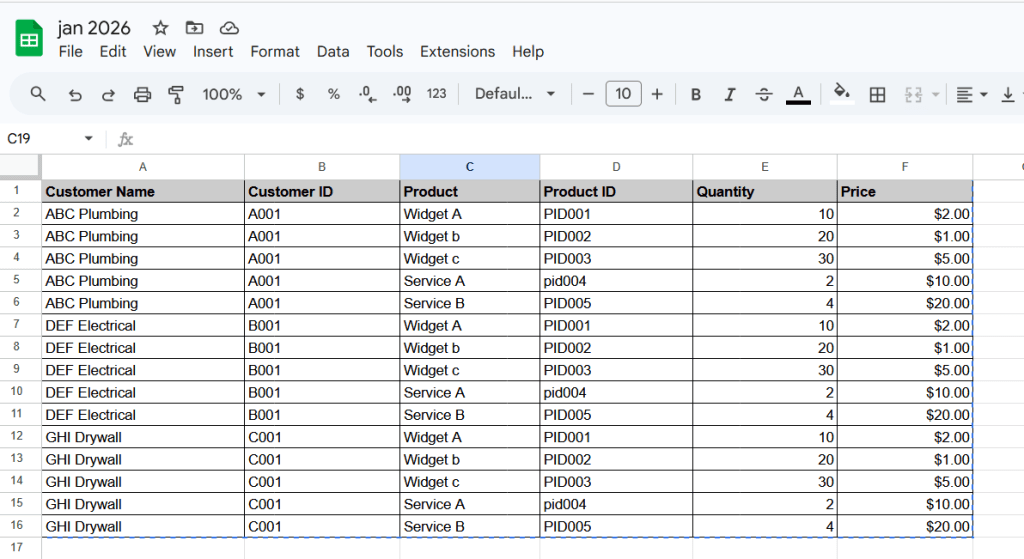
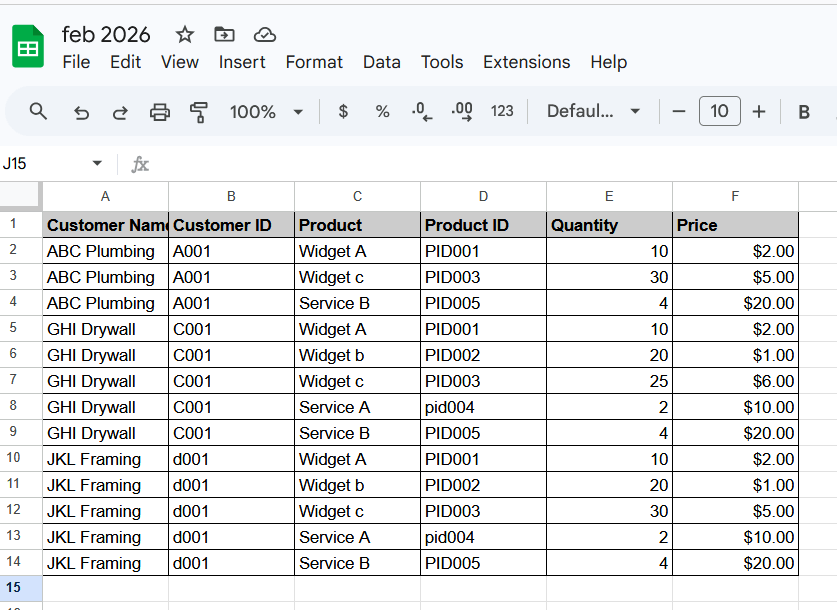
I kept these simple, the one I made for practical use with with csv files that had over 1000 lines and worked well.
This is where learning to prompt starts to make a difference, what you prompt the AI Chatbot will determine how well your code works and how fast you get there.
You have to think through the process, plus you may need to step away and come back, so we will create our first project in Claude, plus make sure any memory features are turned on. I want to be able to start this project and finish later today.
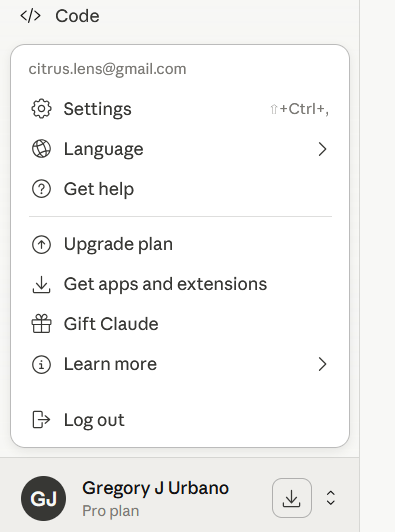
Go to “Settings”
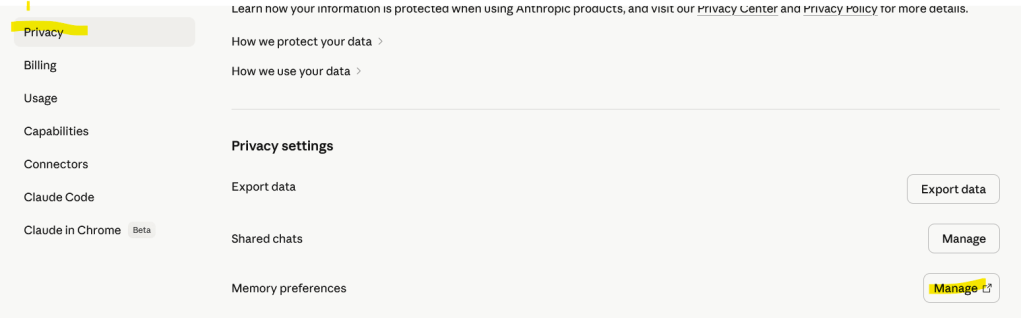
Click on “Privacy” and then “Memory preferences” then “Manage”
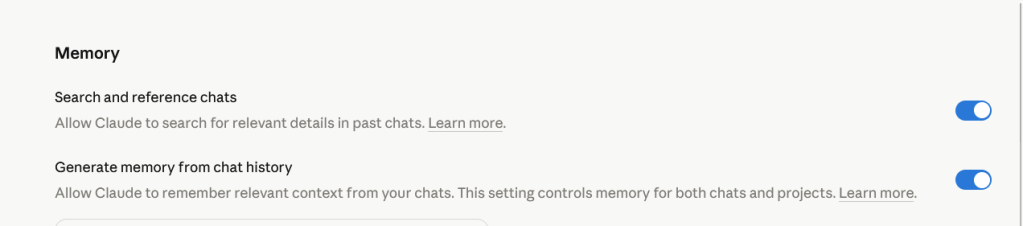
Make sure these boxes are checked.
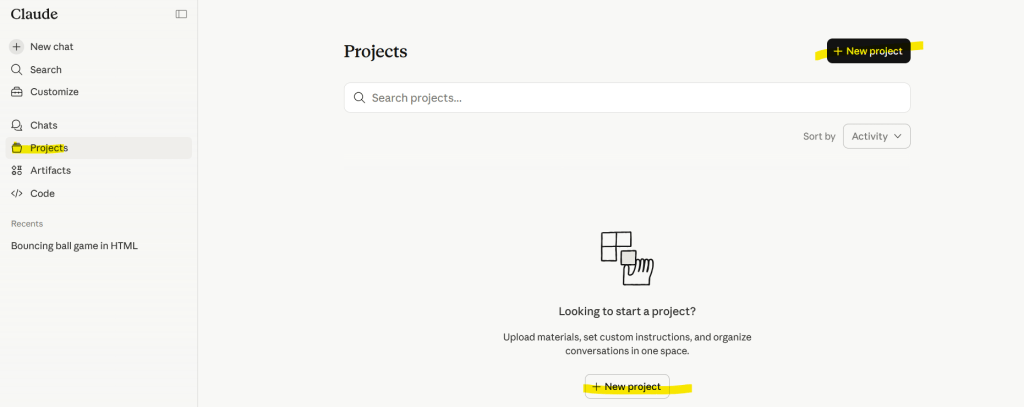
Click on “Projects” in the left sidebar, then “New Project”
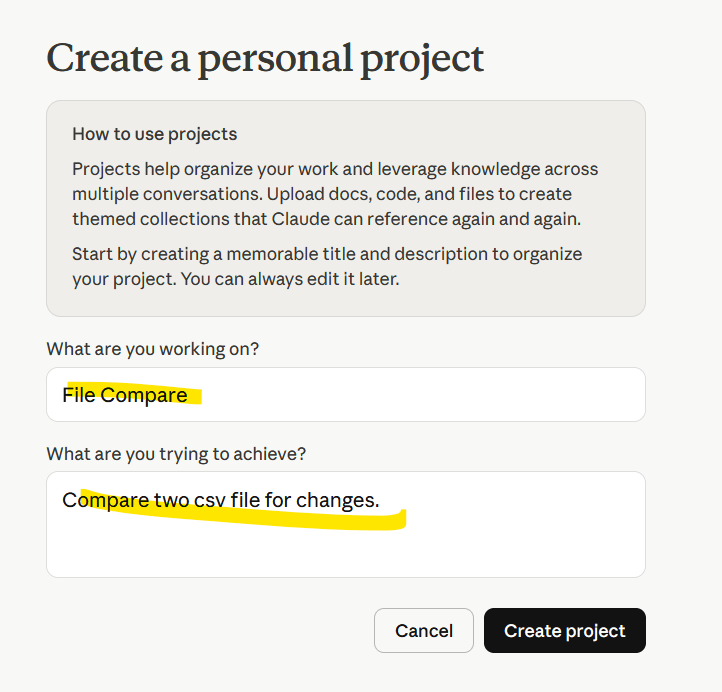
Give it a name and short description, click “Create”.
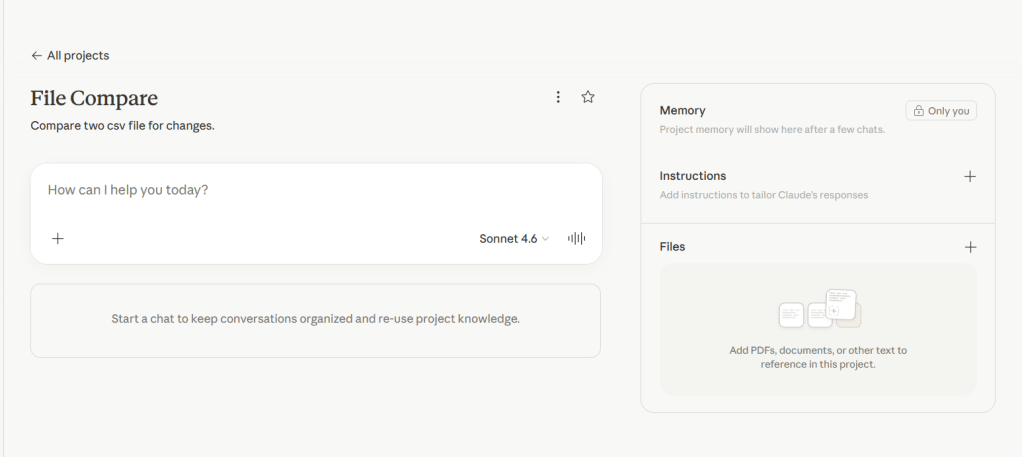
This is where the fun starts to happen, you can download my 2 examples csv files here –
Or create your own in Google Sheets.
This is where we start to tell Claude what we want to do, we want to write html code to create a program that will compare 2 .csv files for changes.
We will eventually have to give it the files, but first let start creating our prompt.
Create an html code program that will compare to .csv invoice files, one is the prior month, one is the current month, each one contains customers and products in the rows, and id’s qty and pricing in the columns, the compare must first find if companies themselves were added or subtracted, then look for change in products, changes in quantities and pricing, produce the output of everything that has changed.
Because I did not tell it not to, Claude took my prompt and went ahead and wrote the code!
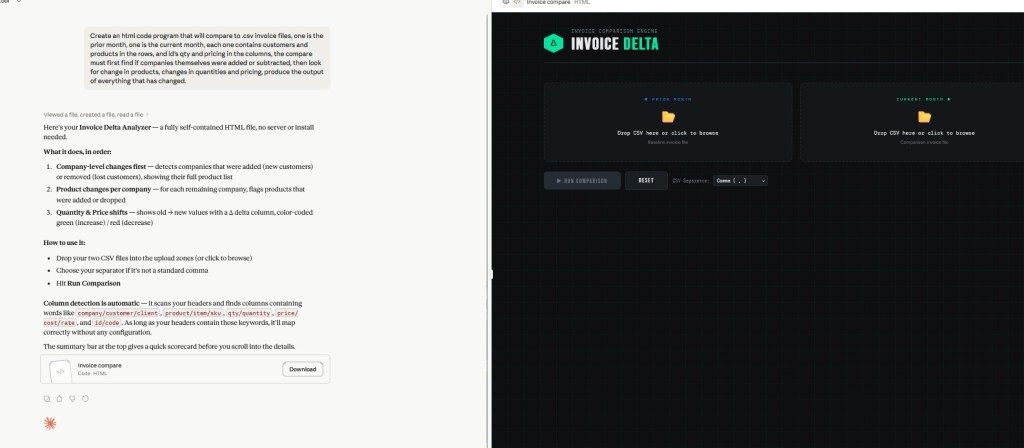
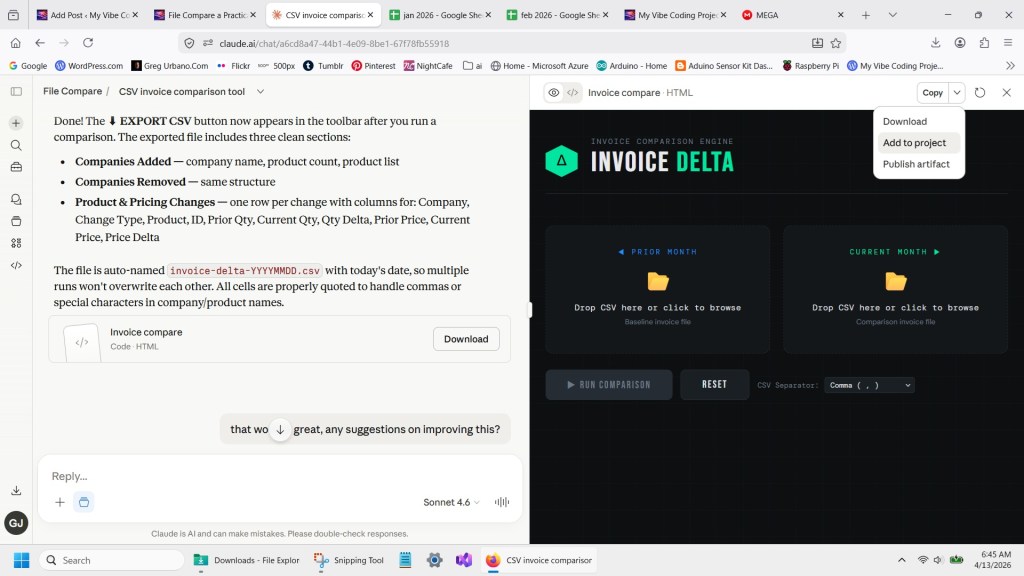
Cluade is great at that, and also presenting it live on the sidebar, plus giving me the download button in the left as well, lets go ahead and run the code, see how it works.

Look at that, perfect right out of the box!
We just need to add one feature, an export, lets let Claude know it did a good job and to add the export feature.
That worked great! Can we add an export feature? to CSV?
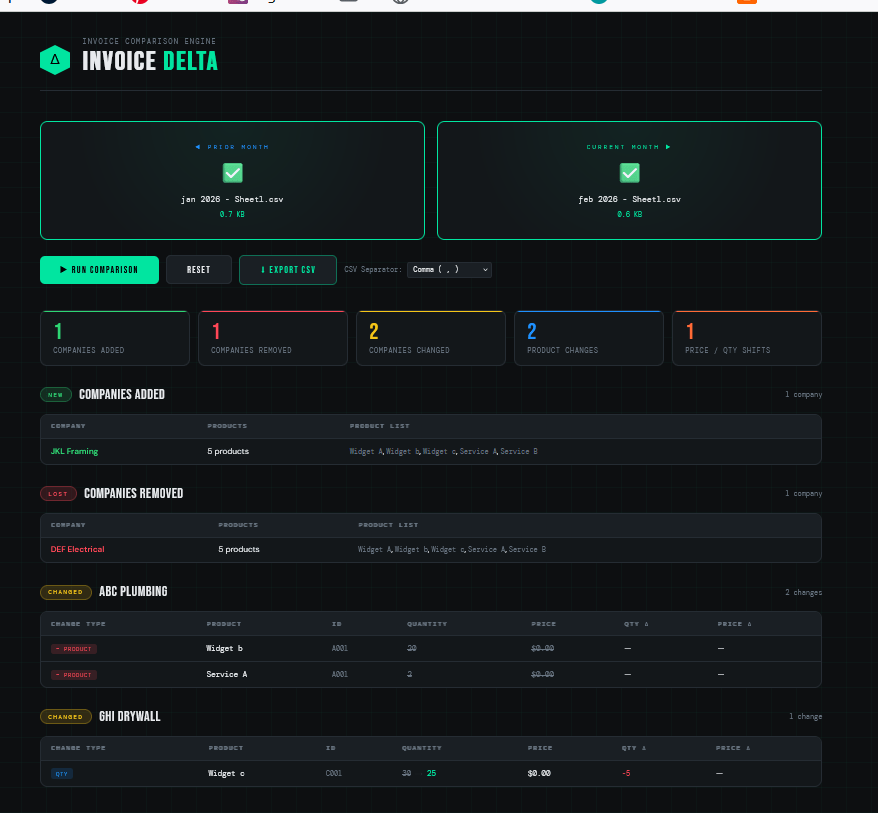
Claude added the export button, I downloaded the html file, opened it in a web browser and the export worked great! You can add additional instructions or even ask Claude what kind of improvements it would make next.
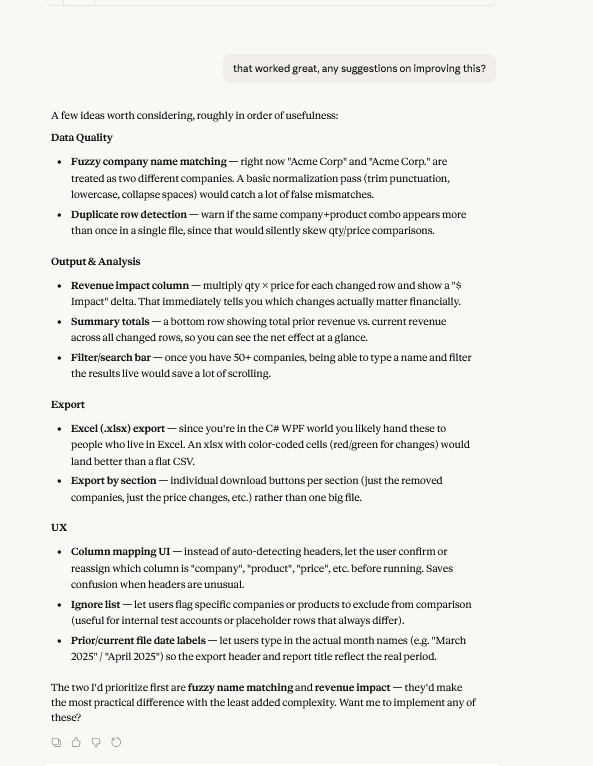
You get the jist, I’m not going to use any more credits on this, I just wanted to highlight how asking the AI Chatbots for improvements can open your eyes to features you may not have considered!
As always you can download the code I generated here, but hopefully you have started you own repository by now, using Google Drive, etc.
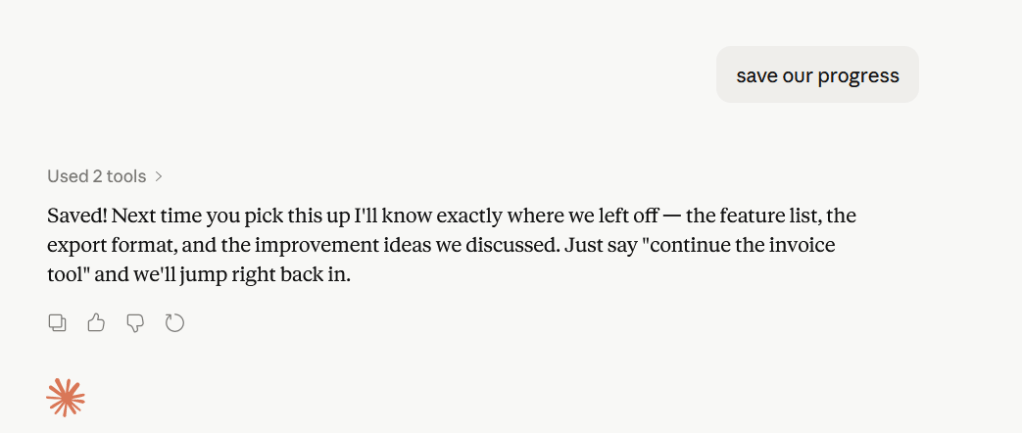
ps, for fute reference, be sure to tell Claude to save your progress to the project, andyou can also add the code to the project.

 My Vibe Coding Projects